
Nissan Rogue (T33) 2021-Present Service Manual: Precaution :: Lifting Point
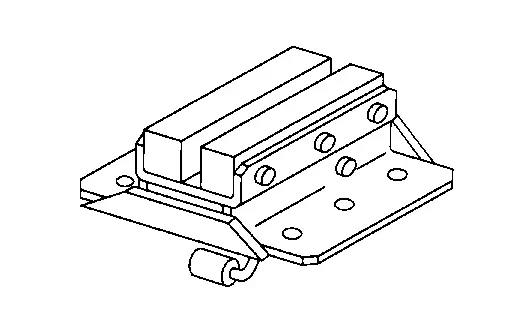
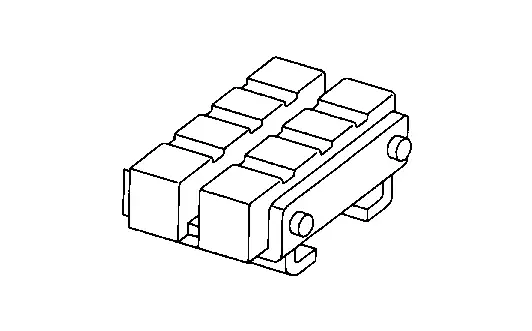
Commercial Service Tools
| Tool name | Description |
|---|---|
| Board on attachment |
|
| Safety stand attachment |
|
CAUTION:
-
Every time the vehicle is lifted up, maintain the complete vehicle curb condition.
-
Since the Nissan Ariya vehicle's center of gravity changes when removing main parts on the front side (engine, transmission, suspension etc.), support a jack up point on the rear side garage jack with a mission jack or equivalent.
-
Since the Nissan Ariya vehicle's center of gravity changes when removing main parts on the rear side (rear axle, suspension, etc.), support a jack up point on the front side garage jack with a mission jack or equivalent.
-
Be careful not to smash or never do anything that would affect piping parts.
Garage Jack and Safety Stand and 2-Pole Lift
WARNING:
-
Park the vehicle on a level surface when using the jack. Check to avoid damaging pipes, tubes, etc. under the Nissan Ariya vehicle.
-
Never get under the vehicle while it is supported only by the jack. Always use safety stands when you have to get under the Nissan Ariya vehicle.
-
Place wheel chocks at both front and back of the wheels on the ground.
-
When lifting the Nissan Ariya vehicle, open the lift arms as wide as possible and ensure that the front and rear of the vehicle are well balanced.
-
When setting the lift arm, never allow the arm to contact the brake tubes, brake cable, fuel lines and sill spoiler.
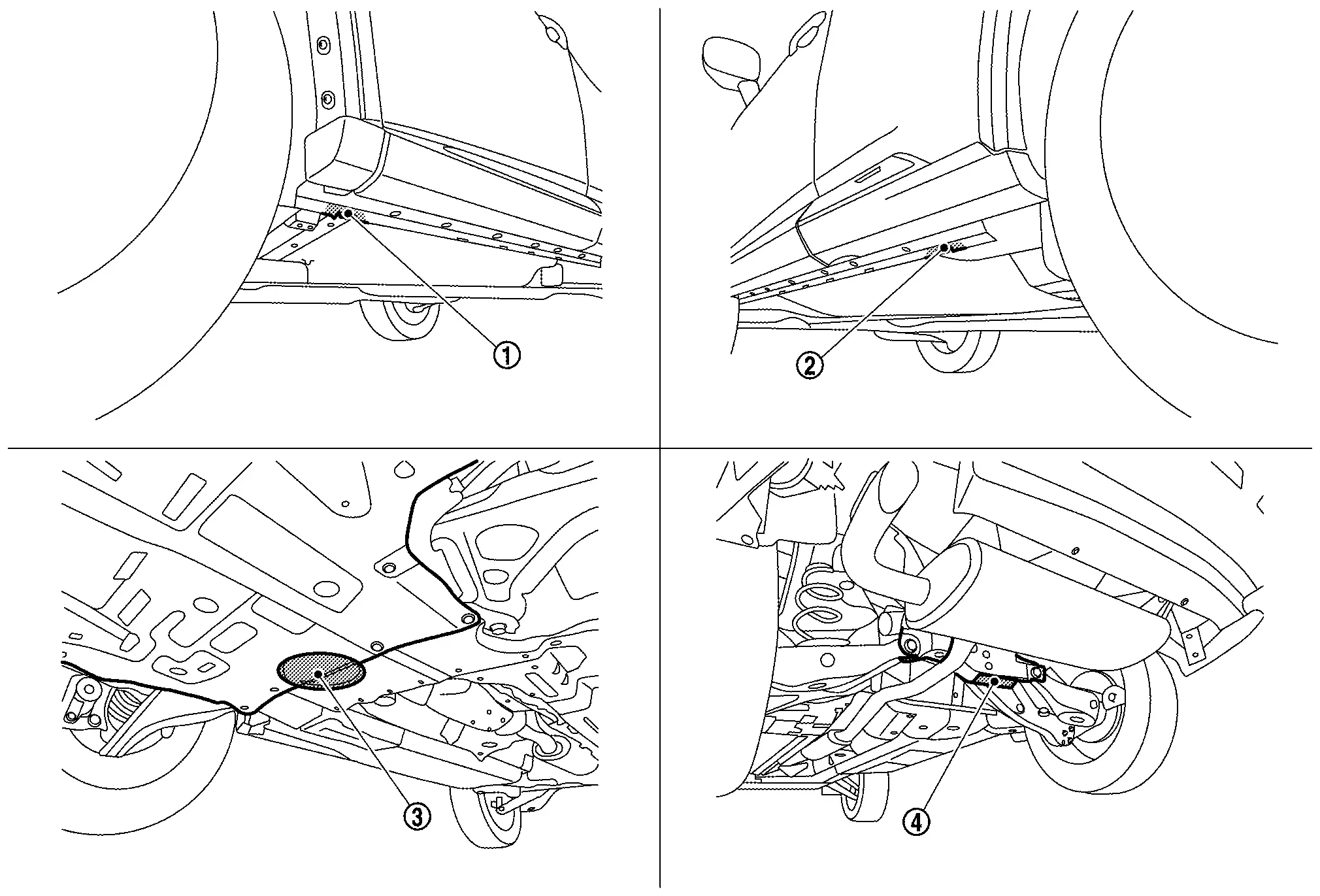
 |
Safety stand point and lift up point (front) |  |
Safety stand point and lift up point (rear) |  |
Garage jack point (front) |
 |
Garage jack point (rear) |
Board-On Lift
CAUTION:
Check vehicle is empty when lifting.
-
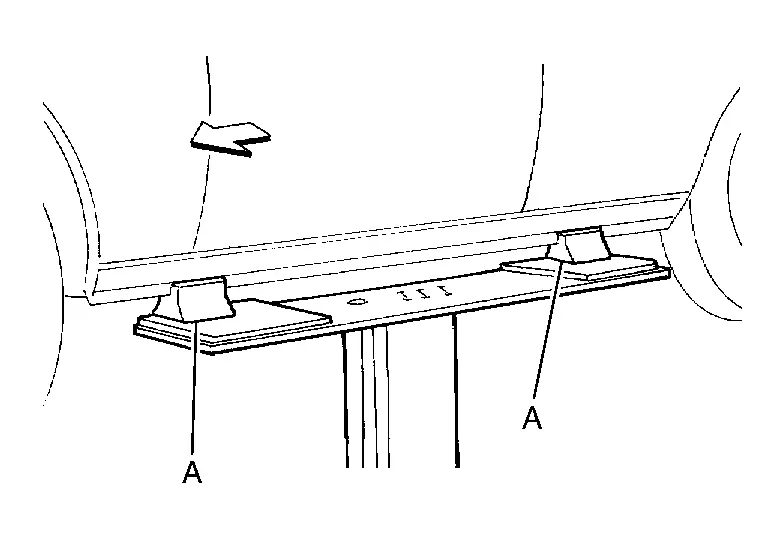
The board-on lift attachment (Length : Approx. 200 mm, Weight : Approx. 120 mm, Height : Approx. 160 mm) (A) set at front end of Nissan Ariya vehicle should be set on the front of the sill under the front door opening.
-
Position attachments at front and rear ends of board-on lift.
 |
: Nissan Ariya Vehicle front |
Other materials:
Remplacement de la pile de clé intelligente
AVERTISSEMENT
Risque en cas d’ingestion : l’ingestion d’une pile bouton peut entraîner des blessures graves, voire mortelles.
Une pile avalée peut provoquer des brûlures chimiques internes en seulement deux heures.
Conservez toujours les piles neuves et usagées hors de portée des ...
Precaution. Tow Truck Towing
Tow Truck Towing
WARNING:
Never ride in a vehicle that is being towed.
Never get under your Nissan Ariya vehicle after it has been lifted by a tow truck.
CAUTION:
All applicable state or Provincial (in Canada) laws and local laws regarding the towing operation must be obeyed.
...
Periodic Maintenance. Brake Fluid
Inspection
BRAKE FLUID LEVEL
Check that the brake fluid level in the reservoir tank is within the standard (between MAX − MIN lines).
Visually check for any brake fluid leakage around the reservoir tank.
Check the brake system for any leakage if the fluid level is extremely low (lo ...