
Nissan Rogue (T33) 2021-Present Service Manual: Manual Air Conditioning :: Removal and Installation
A/c Switch Assembly
Exploded View
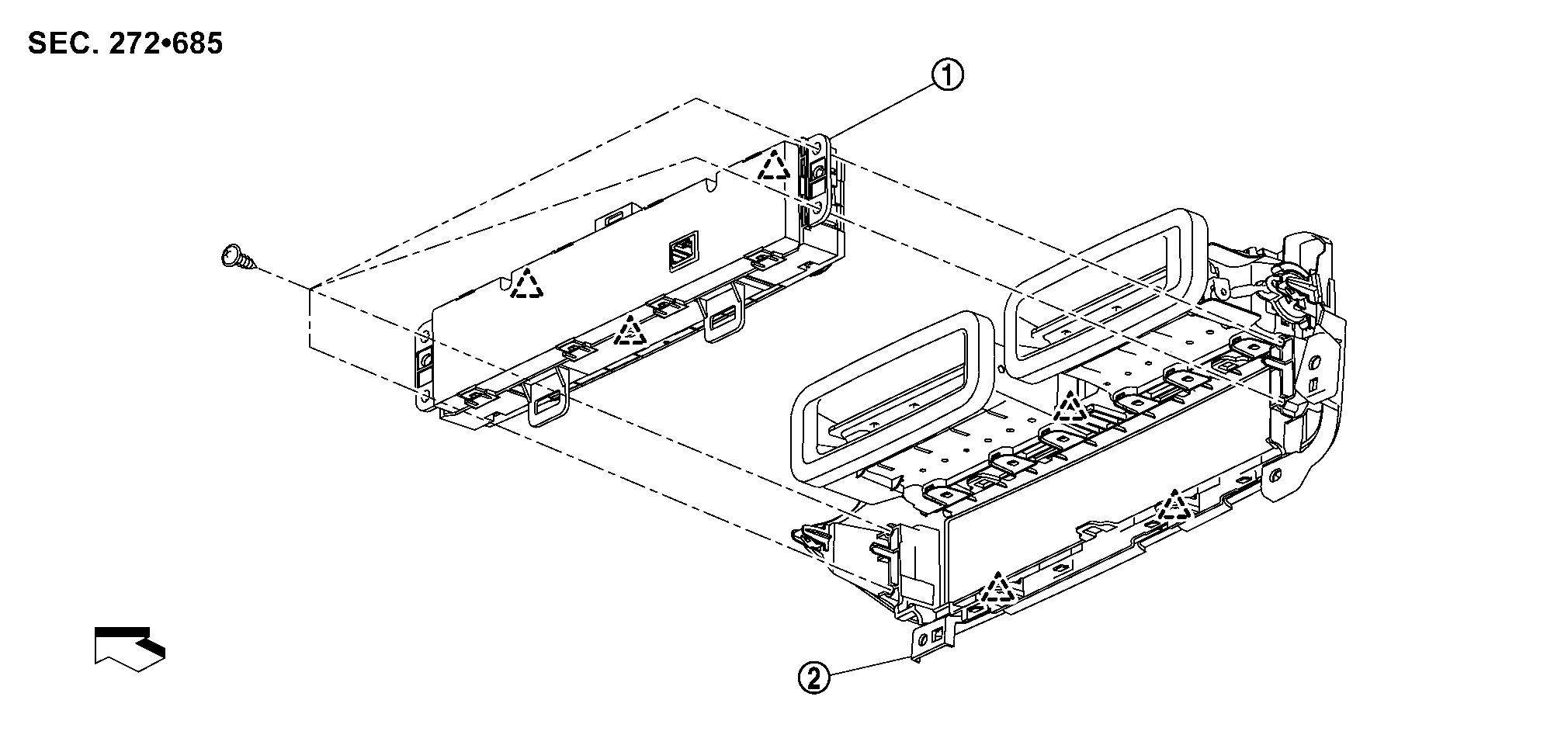
 |
A/C switch assembly |  |
Center ventilator finisher | ||
 |
: Pawl | ||||
 |
: Nissan Ariya Vehicle front | ||||
Removal and Installation
REMOVAL
Remove center ventilator finisher. Refer to Removal and Installation.
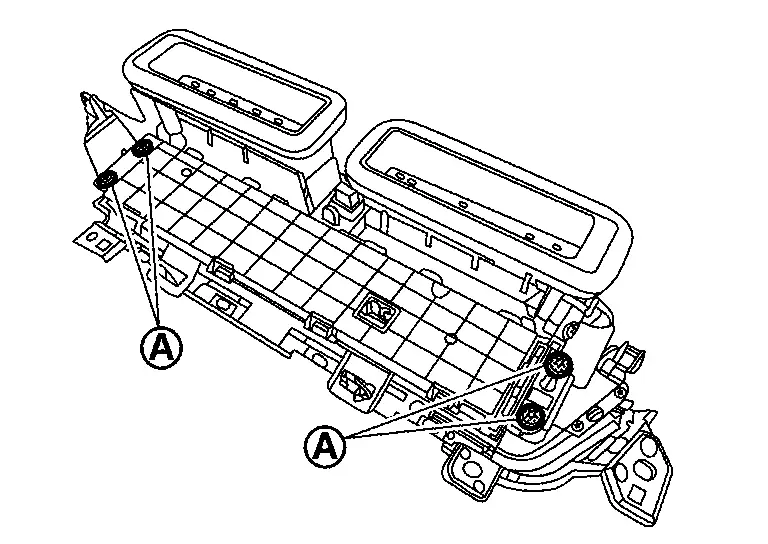
Remove A/C switch assembly fixing screws  .
.
Disengage fixing pawls, and then remove A/C switch assembly.
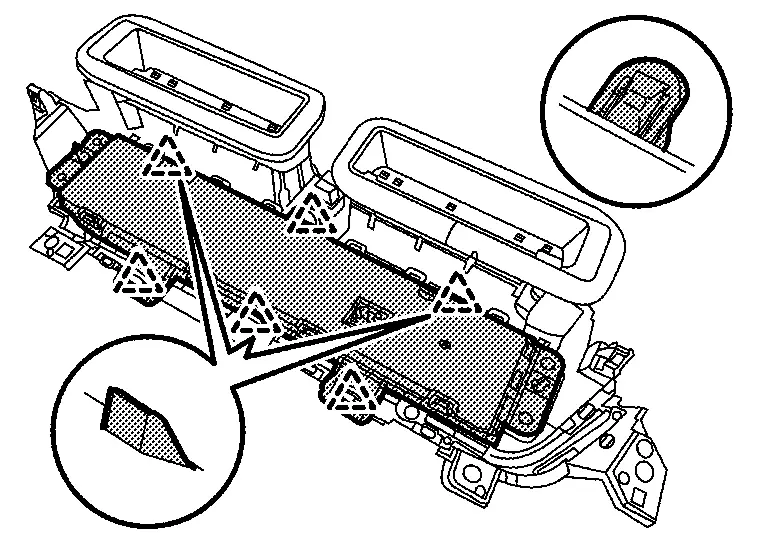
|
: Pawl |
INSTALLATION
Install in the reverse order of removal.
A/c Amp.
Exploded View
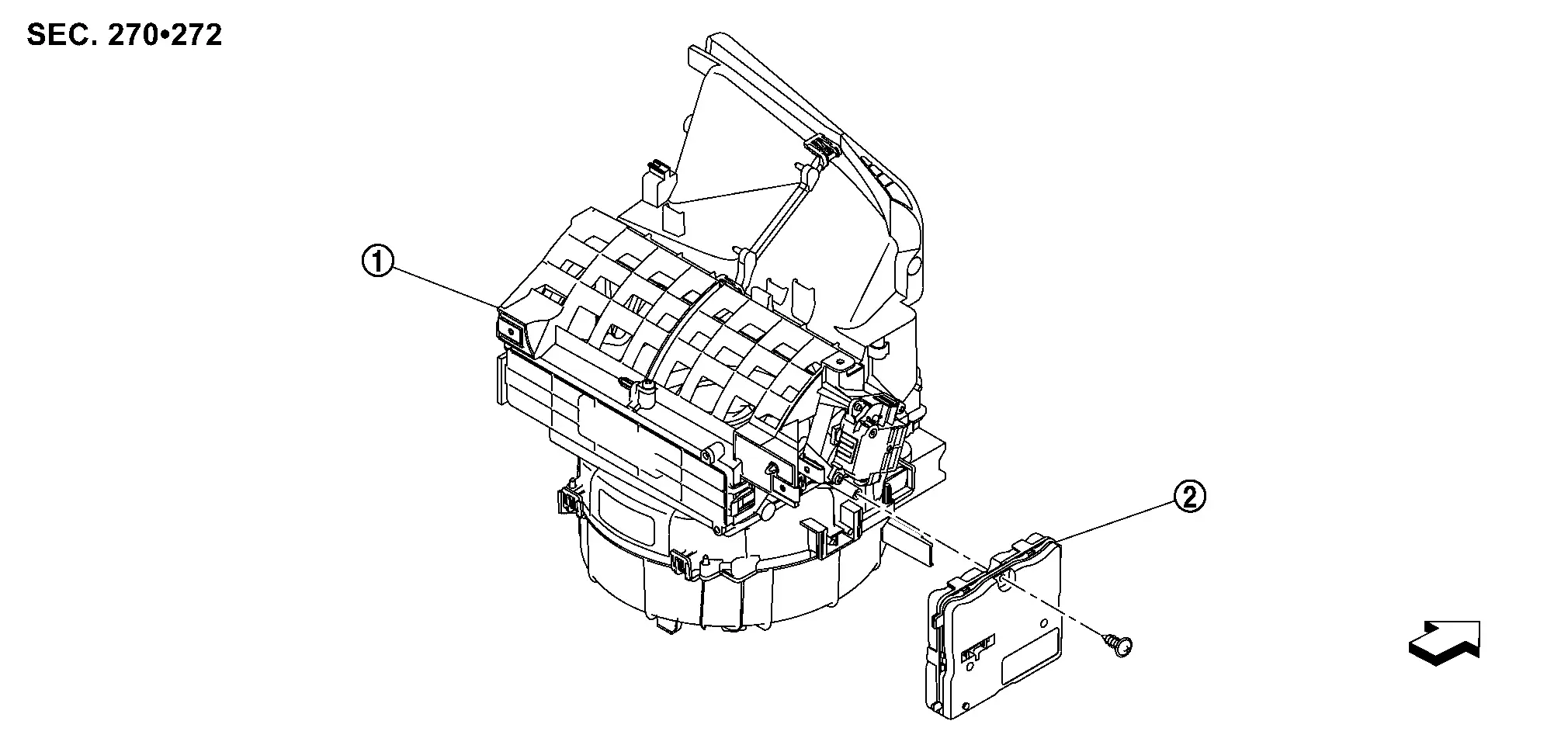
|
Blower unit | |
A/C amp. | ||
|
: Nissan Ariya Vehicle front | ||||
Removal and Installation
REMOVAL
Remove glove box. Refer to Removal and Installation.
Disconnect A/C amp. harness connectors .
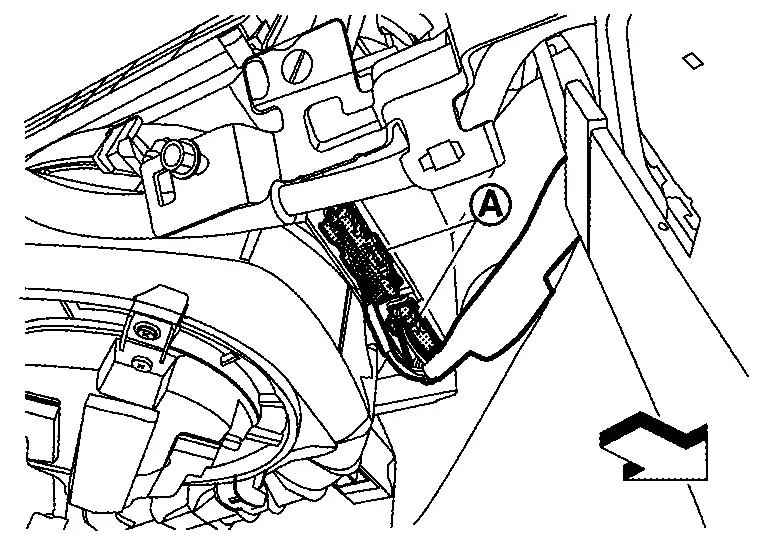
|
: Nissan Ariya Vehicle front |
Remove fixing screw , and then slide A/C amp. in the direction indicated by arrow as shown in the figure and remove it.
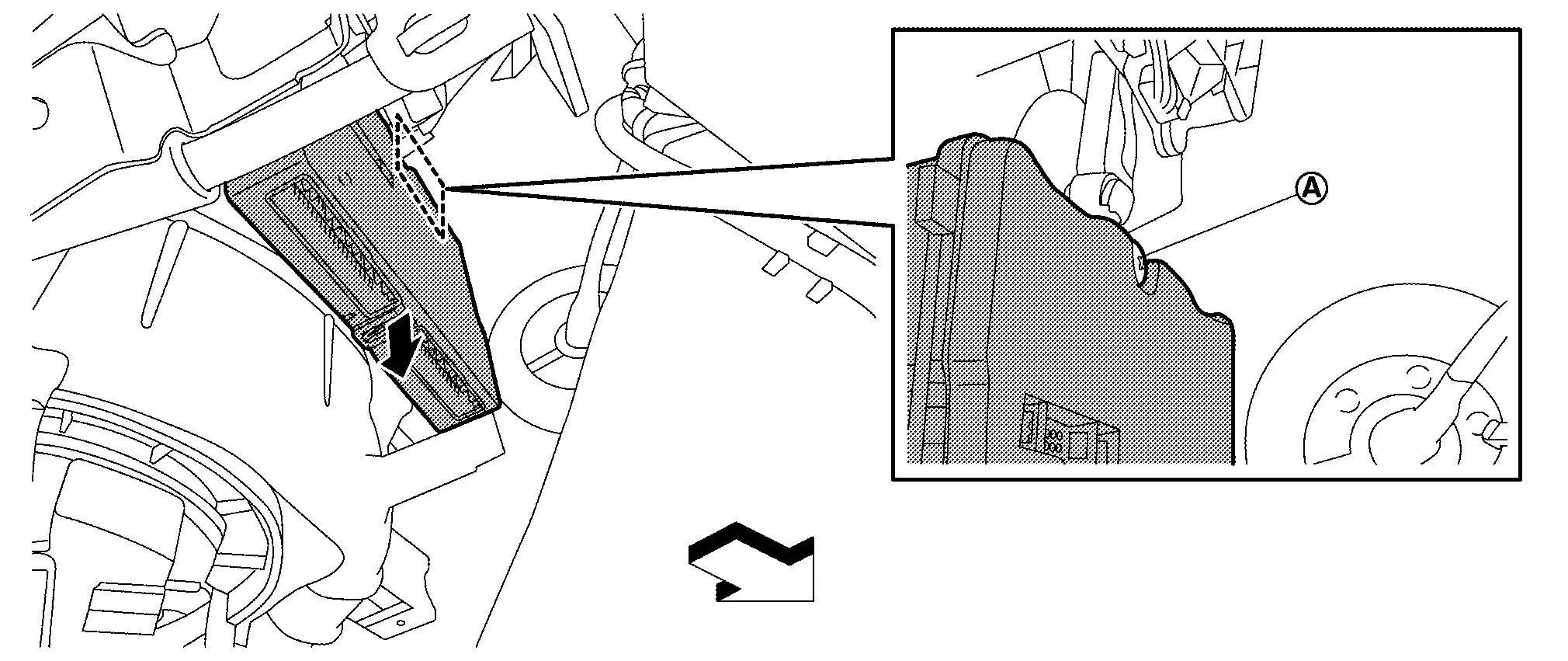
|
: Nissan Ariya Vehicle front |
INSTALLATION
Note the following item, and then install in the reverse order of removal.
CAUTION:
Be sure perform ADDITIONAL SERVICE WHEN REPLACING A/C AMP. when replacing A/C amp. Or not doing so, A/C amp. control function does not operate normally. Refer to Description.
Intake Sensor
Exploded View
-
KR15DDT : Refer to Exploded View.
Removal and Installation
REMOVAL
Remove evaporator.
-
KR15DDT : Refer to Removal and Installation.
Remove intake sensor from evaporator.
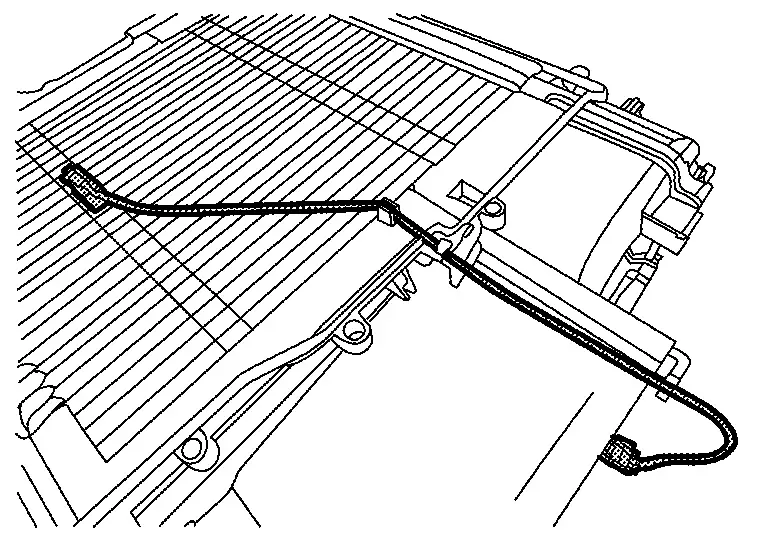
CAUTION:
-
Mark the mounting position of intake sensor bracket prior to removal so that the reinstalled sensor can be located in the same position.
-
Never damage the evaporator core.
INSTALLATION
Note the following item, and then install in the reverse order of removal.
CAUTION:
Never rotate the bracket insertion part when removing and installing the intake sensor.
Refrigerant Pressure Sensor
Exploded View
-
KR15DDT : Refer to Exploded View.
Removal and Installation
REMOVAL
-
KR15DDT : Refer to Removal and Installation.
INSTALLATION
Install in the reverse order of removal.
Ptc Heater
Exploded View
-
KR15DDT : Refer to Exploded View.
Removal and Installation
REMOVAL
Remove foot duct LH. Refer to Removal and Installation.
Disconnect PTC heater connector.
Remove fixing screws , and then remove PTC heater from heater & cooling unit assembly.
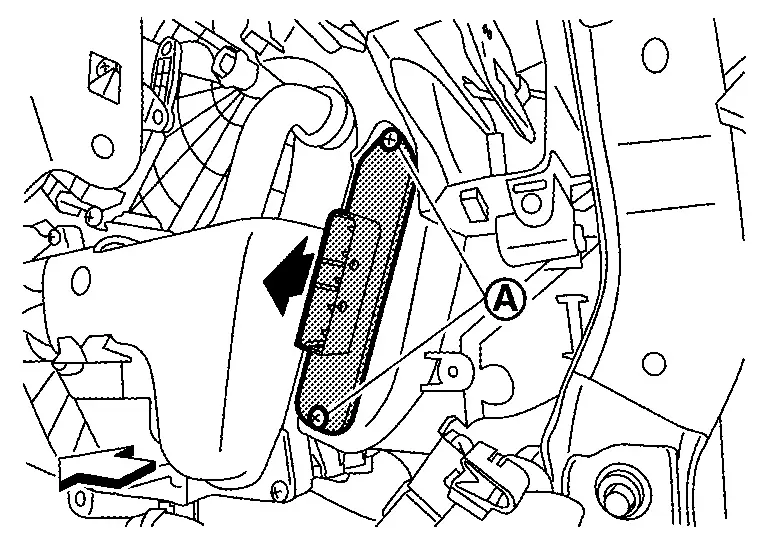
|
: Nissan Ariya Vehicle front |
INSTALLATION
Install in the reverse order of removal.
Door Motor
Exploded View
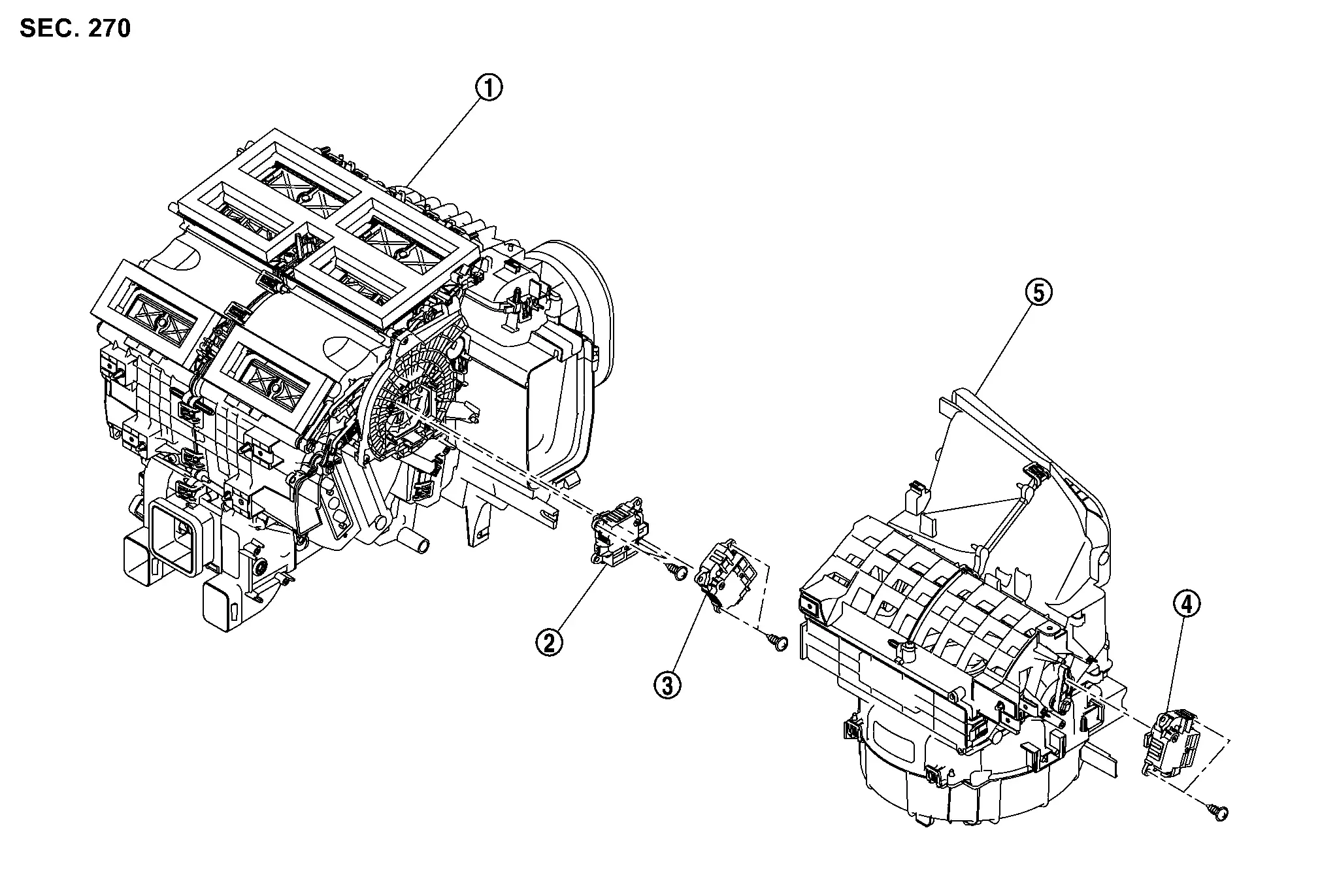
|
Heater & cooling unit assembly | |
Mode door motor |  |
Air mix door motor |
 |
Intake door motor |  |
Blower unit |
Air Mix Door Motor
Removal and Installation
REMOVAL
Remove passenger knee air bag module. Refer to Removal and Installation.
Disconnect air mix door motor harness connector.
Remove fixing screws , and then remove air mix door motor.
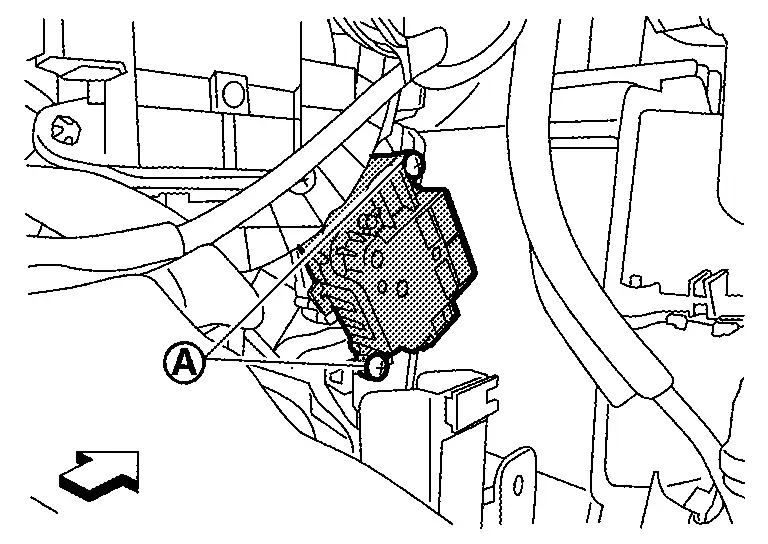
|
: Nissan Ariya Vehicle front |
INSTALLATION
Install in the reverse order of removal.
Intake Door Motor
Removal and Installation
REMOVAL
Remove glove box. Refer to Removal and Installation.
Disconnect intake door motor harness connector.
Remove fixing screws , and then remove intake door motor.
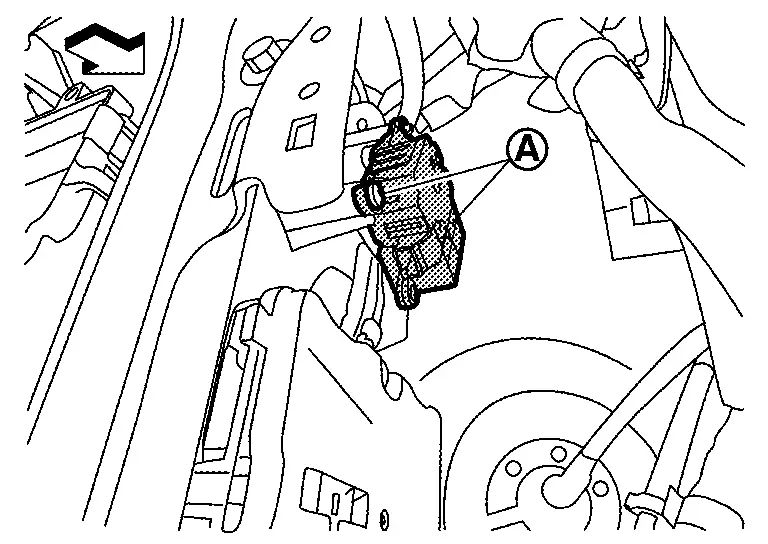
|
: Nissan Ariya Vehicle front |
INSTALLATION
Install in the reverse order of removal.
Mode Door Motor
Removal and Installation
REMOVAL
Remove passenger knee air bag module. Refer to Removal and Installation.
Disconnect mode door motor harness connector.
Remove fixing screws , and then remove mode door motor.
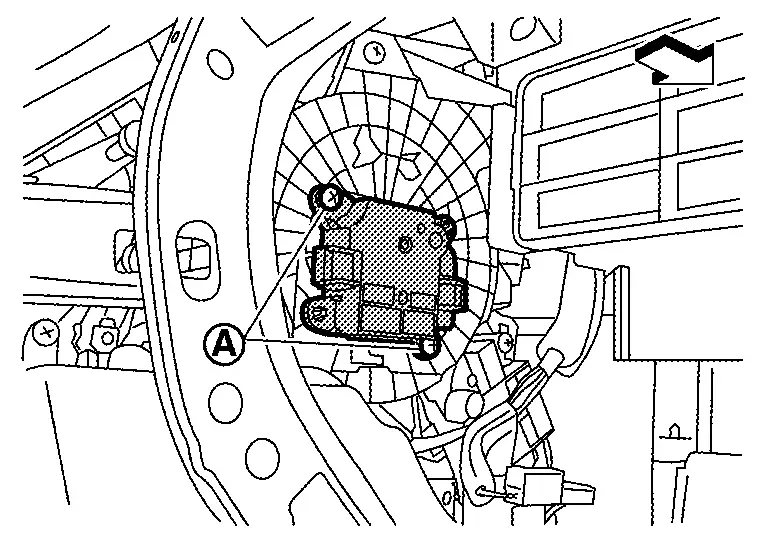
|
: Nissan Ariya Vehicle front |
INSTALLATION
Install in the reverse order of removal.
Other materials:
Automatic Brake Hold. Symptom Diagnosis. Does Not Operate
Does Not Operate
Diagnosis Procedure
Automatic brake hold function does not operate when the operating conditions are satisfied.PERFORM SELF-DIAGNOSIS (CHASSIS CONTROL MODULE)
With CONSULT
Perform self-diagnosis for “CHASSIS CONTROL�.
Is DTC detected?
YES>>
Check the DTC.
With ...
Removal and Installation. Automatic Back Door Lock and Close Switch Assembly
Removal and Installation
REMOVALRemove automatic back door lock and close switch
assembly and automatic back door close switch finisher. Refer to
Removal and Installation.
Remove automatic back door lock and close switch assembly fixing screws and then remove automatic back door lock and clos ...
Can Fundamental. Basic Inspection. Diagnosis and Repair Work Flow
Diagnosis and Repair Work Flow
Trouble Diagnosis Flow Chart
DESCRIPTIONDETAIL OF TROUBLE DIAGNOSIS FLOW CHARTINTERVIEW WITH CUSTOMER
Interview with the customer is important to detect the root cause of
CAN communication system errors and to understand Nissan Ariya vehicle
condition and sympto ...